Reinforce your Revit model
from the rebar schedule, in a few clicks
NSMART Rebar is a Revit 2027 add-in that places column, beam, footing, slab, wall and stair reinforcement straight from the schedule, keeps bars clear of each other at joints, checks to ACI 318-19, and produces BBS, detail drawings and HTML 3D — built by a working structural modeller.
ℹ The add-in interface is currently in Thai. An English interface is on the way — tell us if you need it.

What it does
Uses only the Rebar Shapes already in your project · re-apply any time · every action undoable with Ctrl+Z
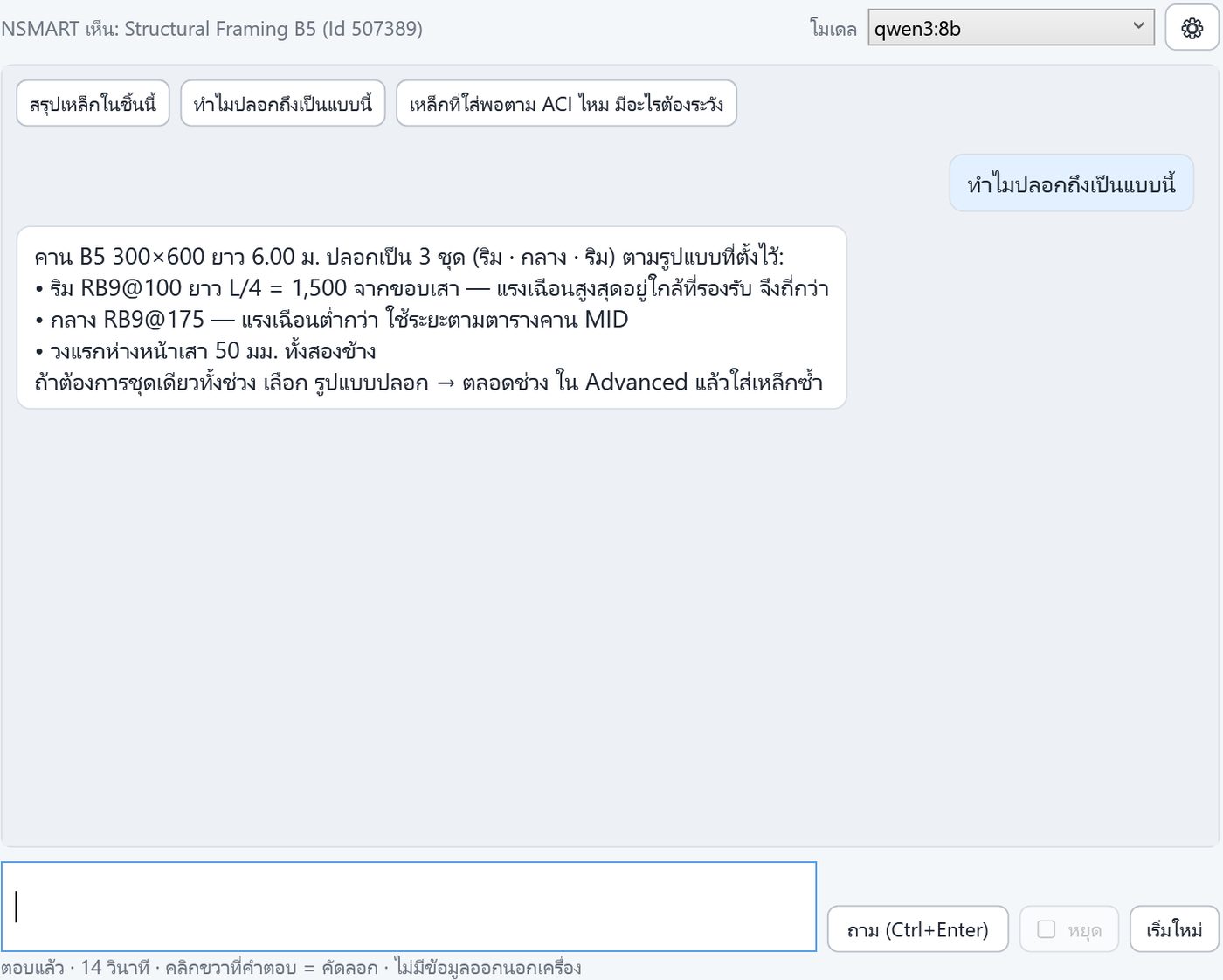
✨ NSMART AI, on your PC
An AI assistant that knows your model and the add-in's rules — it runs on your own PC: no model or drawing goes to the cloud, no token fees.
- Ask about the selected member: enough steel? where to lap? why this layout?
- Reads rebar schedules from images / PDF and fills them in
- Teachable: tell it where it was wrong and it keeps your office's rules
- Works without internet (Ollama + a 6 GB+ GPU recommended)
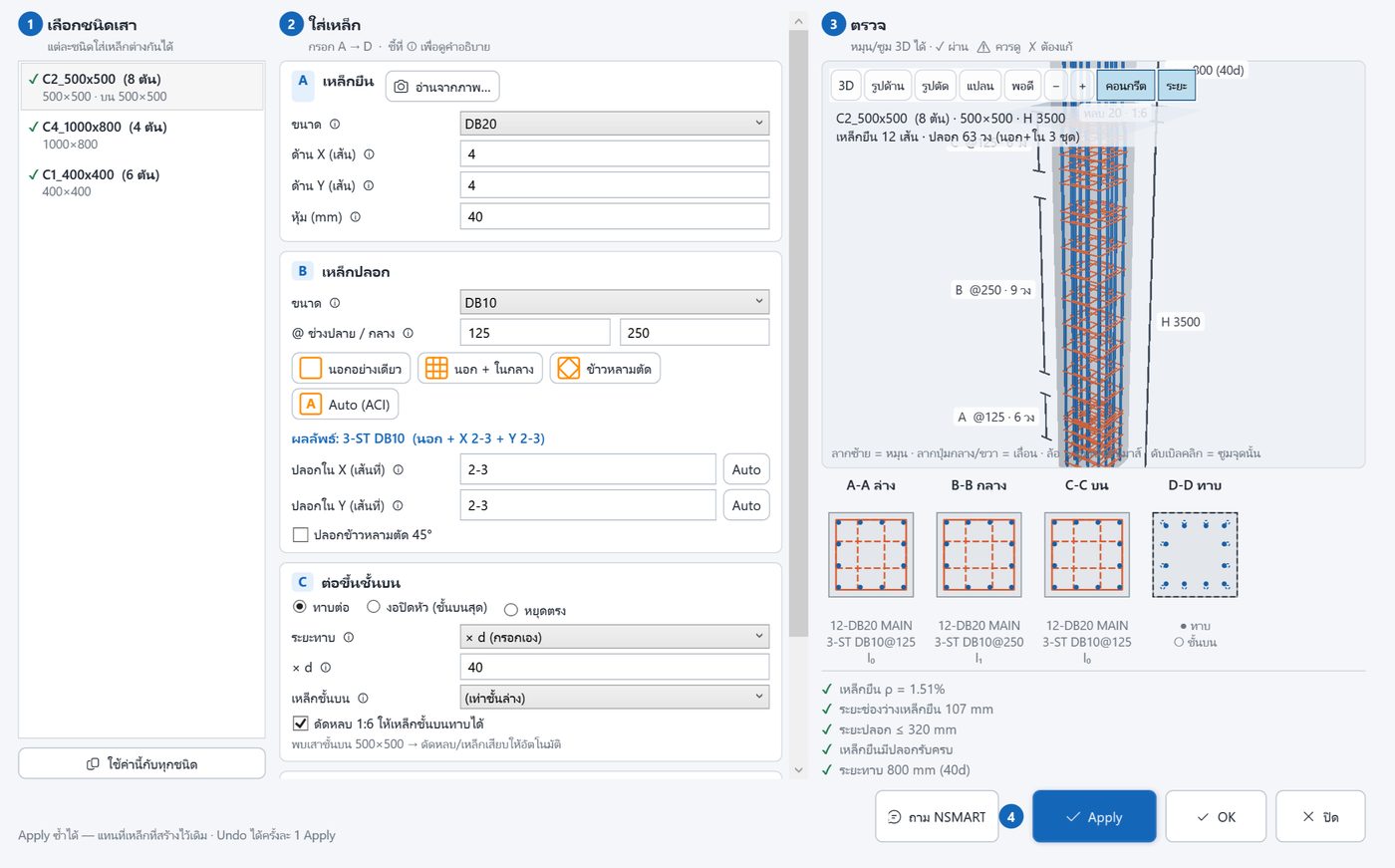
Columns
Enter verticals, ties and laps, then apply to a whole type at once.
- Laps, 1:6 cranks, size changes, pedestals, starter bars into footings
- Dense end ties, seismic detailing, inner / diamond ties
- 3D preview and section before placing, with ρ and clear-spacing checks
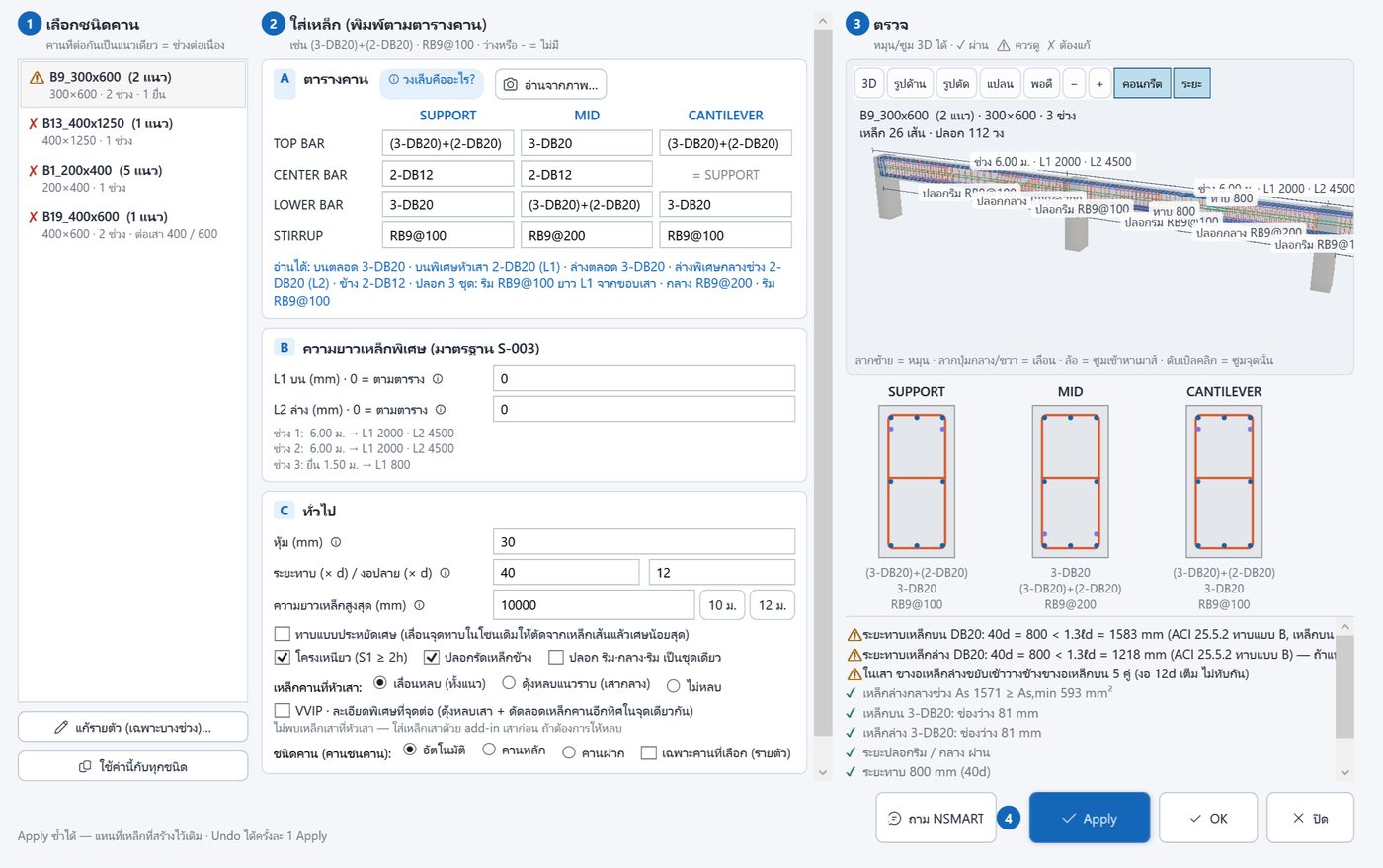
Continuous multi-span beams
Type it the way the beam schedule reads: SUPPORT / MID / CANTILEVER.
- Extra top/bottom bars, laps, end hooks, cantilevers
- Cranks around column bars at joints; secondary beams dip 1:12 under main beams
- VVIP mode: bars cranked past the other direction's beam bars
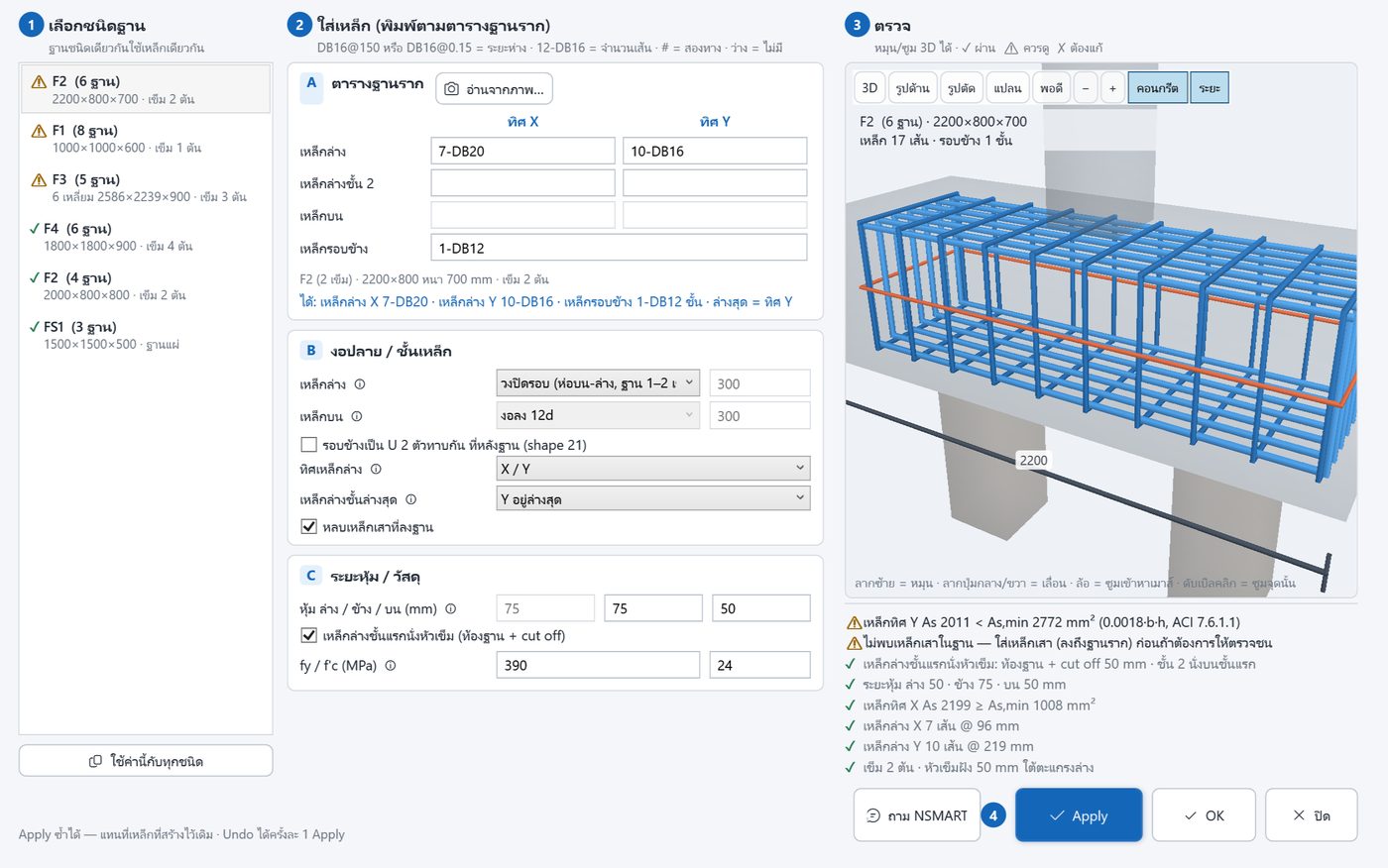
Footings, slabs, walls, stairs
Bottom/top mats, pile caps, slab bars trimmed to edges, two-face walls, lift cores, opening trimmers.
- As,min, spacing and cover checked to ACI 318-19
- Mats avoid the column starter bars
BBS and drawings
Bar bending schedules by member, size, shape, length and weight → PDF / Excel. Footing details, beam elevations and slab plans placed on sheets.
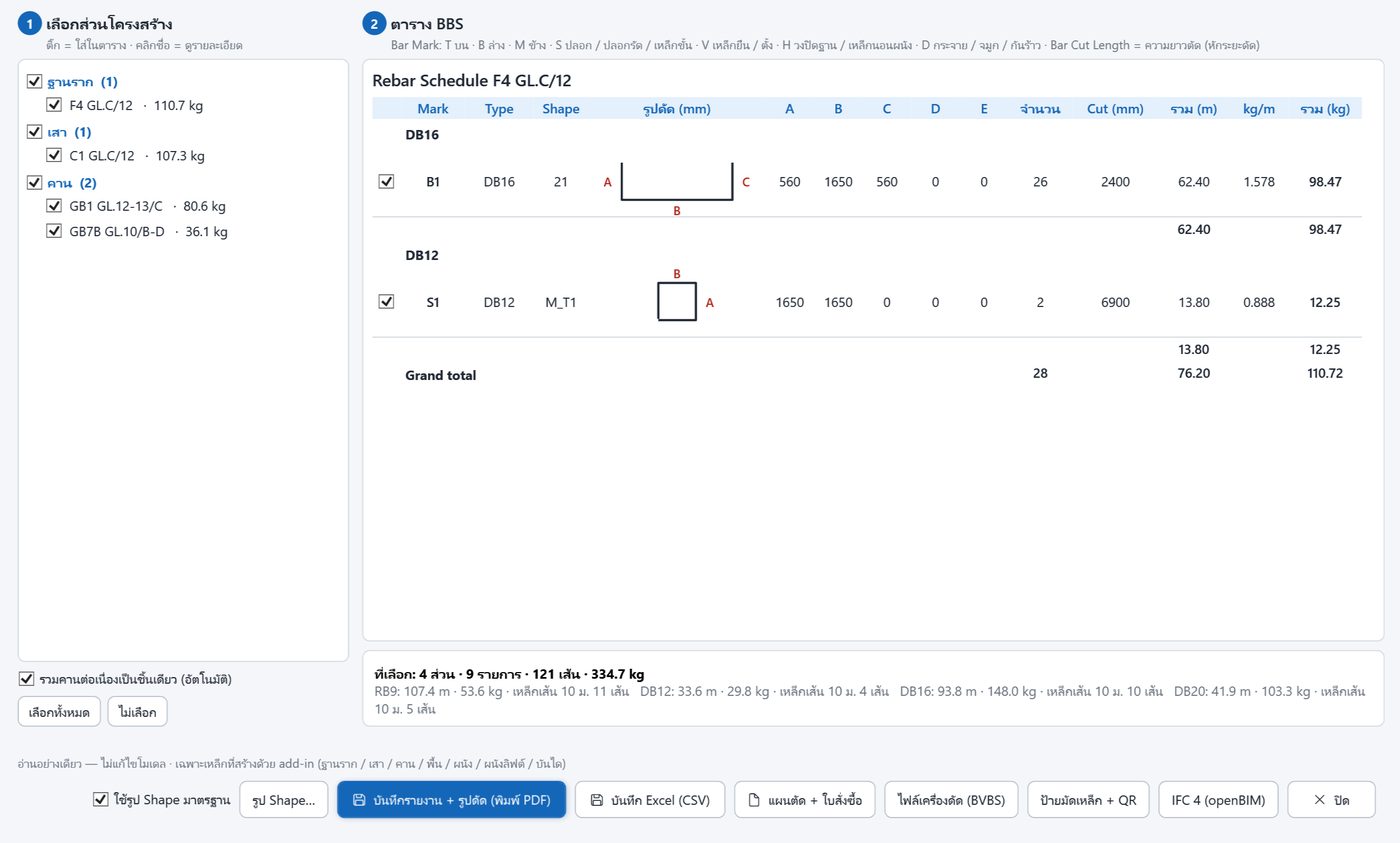
Whole-model check
Bar clashes, bars sticking out, members without rebar, steel % at joints with a suggested aggregate size, density heat map, kg/m³.
Automatic updates
Move or edit beams, columns or footings — Update re-places rebar only on the changed members, with the same settings.
HTML 3D Pro (NSMART-Sheets)
Share model + rebar as one file that opens in a browser: BOQ, 4D, AR on iPad/Android, per-level files, site-scan overlay.
Support development
NSMART keeps improving thanks to its users' support · try everything free for 14 days — just verify your e-mail, no card.
🎁 Support for 12 months — the next year is free
- NSMART Rebar — every category (columns, beams, footings, slabs, walls, stairs)
- ✨ NSMART AI on your PC — no extra AI fees
- BBS, detail drawings, whole-model check
- NSMART-Sheets: batch sheet export + HTML 3D Pro
- All new versions while you support
- Works offline for 30 days after signing in
Download
Install → Revit ลงทะเบียน (Register) → enter your e-mail, get a 6-digit code → 14-day free trial · close Revit 2027 before installing
Requires: Windows 10/11 64-bit · Autodesk Revit 2027 · administrator rights (installs into the Revit add-in folder) · NSMART AI (optional): Ollama + a 6 GB+ GPU recommended
The files are not code-signed yet — Windows / Revit may ask you to confirm the first time. Verify the files with SHA256SUMS.txt in the package.
How to support
Usually within one business day
Try it
Install → ลงทะเบียน (Register) → your e-mail → the 6-digit code we e-mail you → every feature for 14 days.
Tell us
Fill in the form below, or e-mail support@nsmarty.com
Support
We reply with payment details and send a receipt by e-mail · 12 months → the next year free.
Keep going
Your trial e-mail carries on — the add-in updates itself when online.
No internet on the Revit PC? Send us the machine ID shown in the Register window and we will issue a key you can paste in · Moving to a new PC: just e-mail us.